

Part two of the Beyond AX series. Read Part 1: Run, Don't Walk, From Your Legacy Dynamics AX.
In the first article of this series, I shared several reasons why companies should start thinking about moving from their legacy Dynamics AX environment to Dynamics 365 Finance and Operations (F&O). As I was writing, it became clear to me that many organizations choose to stay on Dynamics AX because it is just working for them. And that's a very fair point. Now, I want to turn the tables a bit and discuss the risks and costs associated with staying on your legacy Dynamics AX environment and how you may no longer be getting a good return on your investment.
Now, I know you are hearing it from all angles. The messaging has been strong from Microsoft and the partner channel that it's time to move away from Dynamics AX. It can be exhausting to hear that when you may have looked at the costs associated with an upgrade project. Your initial implementation was likely very expensive, and not just from a cost standpoint. The implementation took not only a lot of money, but a lot of time, energy, and company focus. Now, let's take a look at some of the risks and costs associated with staying on Dynamics AX.
Infrastructure, Maintenance, and Outage Costs
Dynamics AX is typically run on on-premises servers that are maintained by your IT department. If those servers are outdated or need to be patched, replacing them likely falls on your capital budget and patching requires time from your IT department to get them updated and compliant. And let's not forget everything else your IT team has to maintain: SQL Server, storage, networking, backup and recovery, monitoring, virtualization, security, disaster recovery, environment management, and licensing just to keep your Dynamics AX environment running smoothly.
One key aspect to consider as well is the cost of outages and the amount of time it takes to recover the system if there is a failure. The failure may be due to equipment failure, something external that damaged your hardware, or an event like fire, weather, sabotage, or criminal activity.
Insurance
Cyber insurance carriers are putting greater focus on end-of-life IT systems and may exclude coverage or increase premiums for incidents tied to those systems. As discussed in the previous section, there are many possible incidents that could cause outages, data loss, or business disruption, and not having proper insurance coverage to help mitigate the costs associated with those incidents could be catastrophic.
Now, what if you have great controls in place? That's an excellent point, but insurance carriers can require detailed documentation of those controls that may include patch records, detailed backup testing, and strong security assessments. Failure to provide adequate documentation to the insurance carrier of your controls could result in a loss or decrease of coverage. Check with your insurance provider today to determine your coverage and if there is an end-of-life exclusion in place.
Technical Debt
When working with a legacy platform like Dynamics AX, your company could be actively accruing technical debt as you innovate and add custom code to your environment. F&O also introduced a shift in how custom code is developed, moving to an extension-based model.
As you create new code to add to your Dynamics AX codebase, that will have to be converted to extensions if it is part of your transition plan to F&O. Additionally, ISV integrations may be outdated or obsolete and will need to be assessed as part of the upgrade process.
Integrations with AX are also increasingly incompatible with newer integration methods. Customers are now leveraging modern tools within Azure or Power Platform, like Power Automate or Dataverse, to bring data into or out of their F&O environment. Dynamics AX relied a lot on custom middleware and often incorporated manual workarounds, which take time and resources to manage.
Consider this: every dollar you spend customizing AX today can increase the cost of leaving AX tomorrow.
 Two paths from the same starting point: a dark, tangled legacy environment on one side and a bright, connected cloud platform on the other.
Productivity and Workarounds
While I love the Dynamics platform, I would be remiss if I did not mention that Dynamics AX is a very "click-heavy" platform. If you have spent any time in AX, you are well aware of the number of clicks that it can take for users to complete their daily tasks.
Dynamics 365 F&O has boosted productivity by incorporating some new capabilities within the system that reduce workload and minimize clicks.
- Filters – Yes, filters exist in AX, but they are far more prevalent and effective in F&O. Columns, dropdowns, and views can be filtered and you don't have to memorize a list of operators to filter for the data you need, giving users a more modern user interface.
- Grouping and Totals – Additionally, F&O offers the ability to group data and provide totals for columns as well within a view. All of this is handled through native personalization, which does exist in AX but is stronger in F&O.
- Workspaces – role-based dashboards within F&O that can do everything that your Enterprise Portal was supposed to do in Dynamics AX. Workspaces put together a coherent set of data, actions, and reports that a worker would reasonably access throughout their workday – all in one central location! Additionally, users can create their own workspaces or add to existing workspaces easily through personalization.
- Reporting – Many workspaces contain analytics tabs that contain Power BI embedded reports that are assigned based on security role.
- Agents – I know everyone is curious about Agents while simultaneously tired of hearing about them. However, F&O is introducing new Agents regularly that reduce workload and effort. Some notable Agents include the Account Reconciliation Agent and the Supplier Communication Agent.
- MCP Server – MCP (Model Context Protocol) Server exposes F&O business logic and data to AI agents using the MCP standard, reducing the need for custom integrations.
Scarce AX Talent
I covered this a bit in the first article, but let's dive into what support looks like for Dynamics AX. Most partners and ISVs have moved into supporting Dynamics 365 F&O and are rapidly moving away from Dynamics AX support. Partners who are still supporting Dynamics AX may be raising prices to keep specific resources available to manage their AX ticketing triage, meaning that these costs will get passed to you, the end user.
Additionally, ISVs are rarely selling new contracts for their products to Dynamics AX customers, and if they are, it is a retired or "sunsetted" version that is no longer being maintained. There is an inherent risk associated with purchasing add-ons for your system without having the talent to support or maintain those products.
The Key-Person Risk
Aligning with the previous section, you may have some key people, or even scarier, one key person, in your organization who has been with Dynamics AX since it was implemented. They know every integration, batch job, workaround, and weird database thing that keeps your Dynamics AX environment running smoothly.
Depending on version and length of time they've been employed, they could be approaching retirement. Likewise, they could be considering moving on to work with newer technology. Dynamics AX 2012 was "new" almost 15 years ago, and that's quite a long tenure in the tech world.
When/if this key person decides to retire or move along in their career, you are losing their institutional knowledge, daily productivity used to keep the system running, and the relationships they built with the other end users in your company.
This person is the one you want on your Dynamics AX to Dynamics 365 F&O project. They know where all the bodies are buried, figuratively speaking, of course.
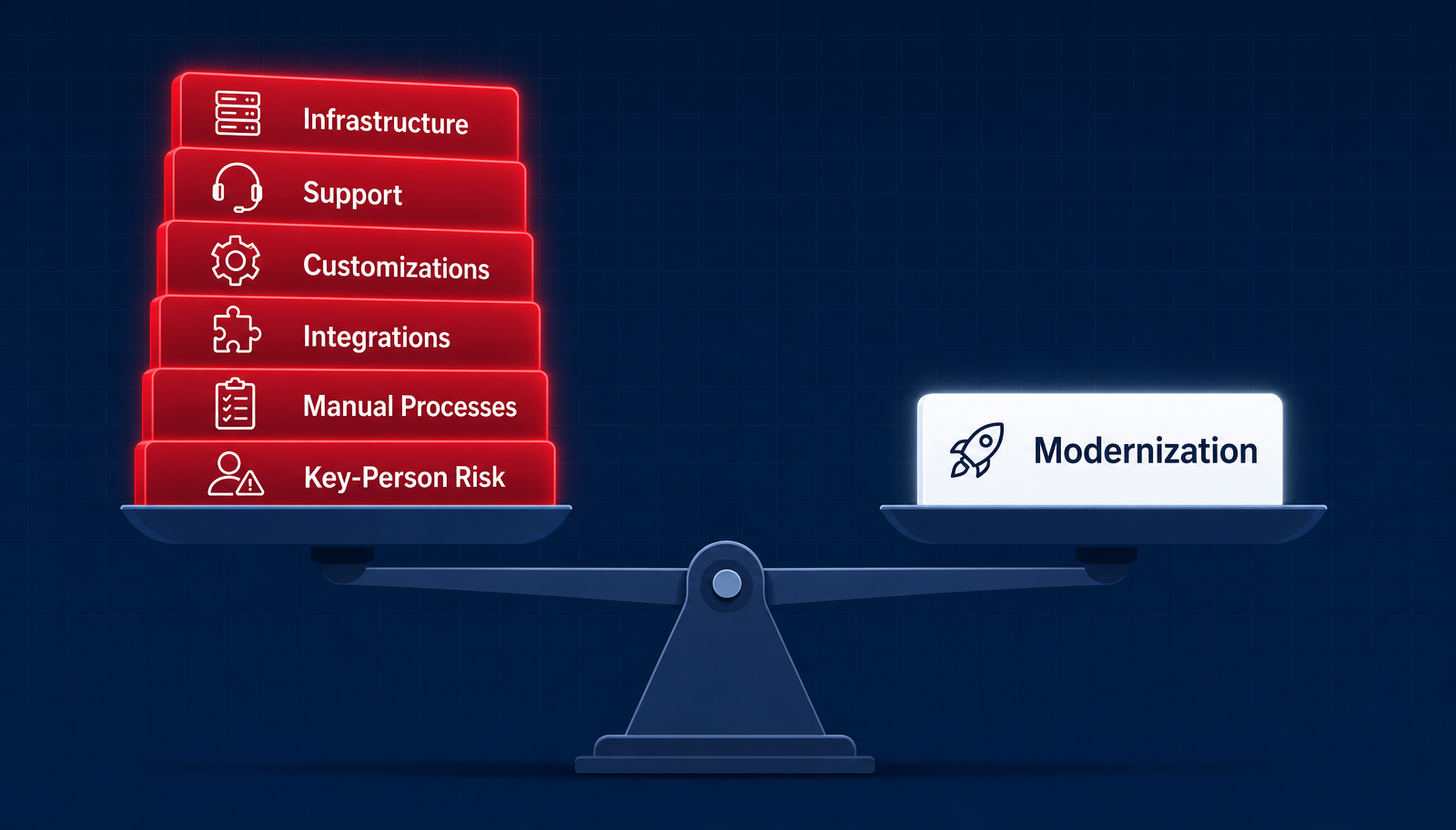 The cost of staying: infrastructure, support, customizations, integrations, manual processes and key-person risk stacked against the cost of modernizing.
Risk versus Reward
At the end of the day, only you know the true costs associated with maintaining your Dynamics AX environment. Staying on AX may still be the right decision for your organization today, but doing nothing does not mean that there is no cost associated with that decision.
When considering the investment required to move to Dynamics 365 F&O, it is important to look at both sides of the equation. The cost of modernization should not be compared to zero. It should be compared to what you are currently spending on infrastructure, support, customizations, integrations, manual processes, and specialized resources, along with the operational risks that come with maintaining a legacy system.
The question is no longer simply, "How much will it cost us to move?" It is also, "How much is it costing us to stay?"
If you are interested in learning more and talking through what a move to Dynamics 365 Finance and Operations looks like, contact the team at Hummingbird and we will help you complete an assessment of your current environment and discuss with you what it would take to move to F&O.